Designing for the Web — 8 Steps
01Develop Your Idea
I want to create a portfolio website to showcase myself as an illustrator and share samples of my work. The design will be clean and simple, with an artsy edge. I plan to use a black-and-white color palette so the illustrations remain the main focus.
02Discovery and Research
I looked at Malika Favre’s and Jean Jullien’s websites for inspiration. I like that both sites organize their content into clear sections for work, information, and contact. Their simple navigation makes it easy for visitors to explore the portfolio, and I want to use a similar approach on my own site.
03Target Your Audience
My target audience includes potential clients, art directors, and fellow illustrators. I want visitors to understand my illustration style, explore selected projects, and find relevant examples of my work. Contact information should be easy to access so interested clients can reach me without difficulty.
04Introductory Framing and Call to Action
At the top of the page, I will introduce myself by displaying my name and a short sentence about my illustration practice. I will include my email address in the footer and add a clear contact call to action on the projects page, making it simple for potential clients to get in touch.
05Inspiration and Concepts
My first concept uses a white background, black typography, and a grid of images. The second concept uses a black background, white typography, and larger featured images. I prefer the first concept for presenting a gallery because the light background gives the artwork room to stand out and makes the portfolio easy to browse.
06Thumbnails and Sketches
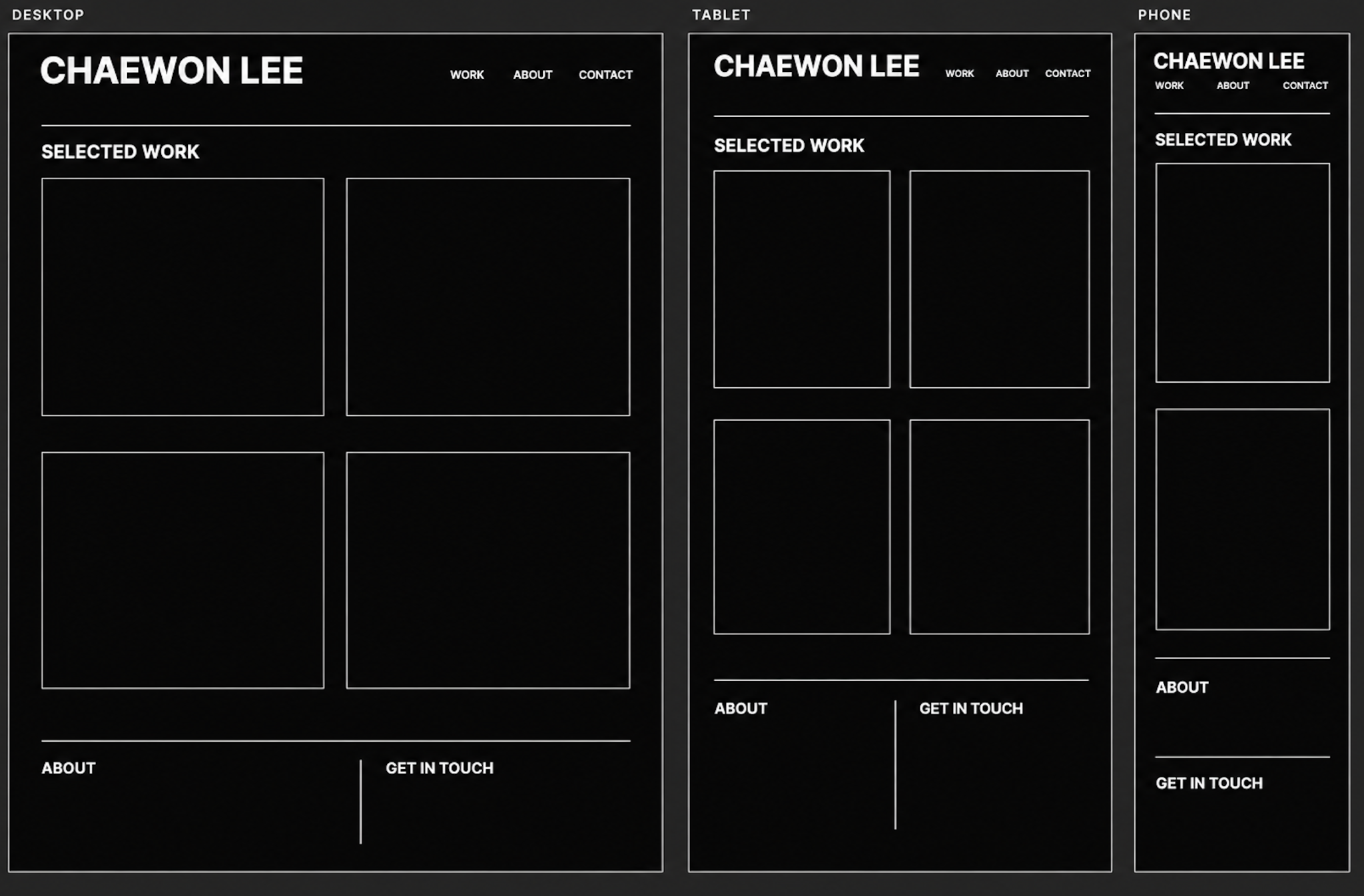
I will sketch different ways to arrange the title, navigation, and artwork. My layout will use two columns on larger screens and switch to one column on smaller screens, keeping the work readable across devices. I will annotate the sketches to explain the layout choices and identify the direction I plan to develop.
07Wireframes and Prototypes
I will create wireframes for phone, tablet, and desktop screens to plan how the site will adapt to different devices. Each wireframe will include my name, portfolio content, a brief introduction, and contact information. This will help me check that the structure and navigation remain clear at different screen sizes.
08Photoshop Comp
I will use Photoshop or Illustrator to create final design comps showing possible arrangements of the title and artwork on phone, tablet, and desktop screens. The comps will demonstrate my chosen interface elements, simple typography, and black-and-white visual style. I will also use generous spacing to keep the composition uncluttered and ensure the illustrations receive the most attention.