TOOLS & RITUALS
Tiny tools to make your feed feel lighter.
Simple, low-pressure rituals you can add to your day — so “going offline” feels like care, not punishment.
TOOL 01
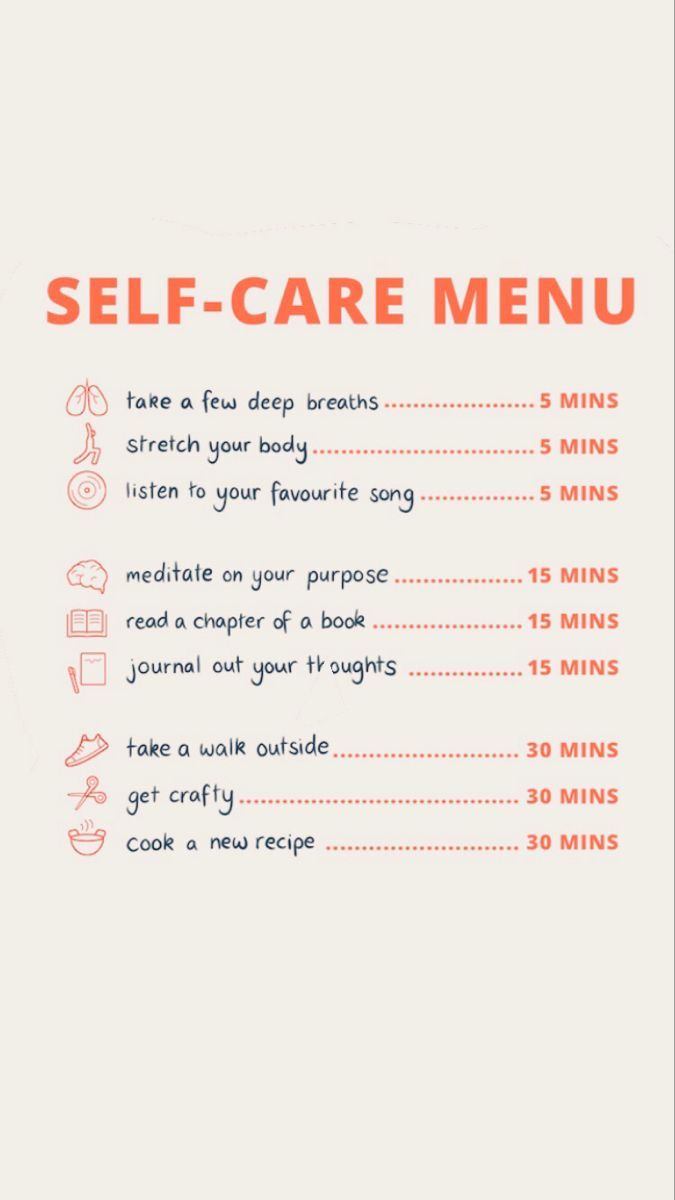
Self-care menu for your attention
Instead of “just one more scroll,” you can treat this menu like a digital snack list — for your mind, not your feed. When you’re about to open a high-stimulation app out of habit, you swap that impulse for a tiny self-care action.
5-minute swaps
For “I only have a second” moments.
- Take a few deep breaths.
- Stretch your body.
- Listen to one song all the way through.
15–30 minute resets
When your brain feels buzzy.
- Meditate on one simple intention for the day.
- Read a chapter or a long-form article.
- Journal whatever’s stuck in your head.
- Take a walk, get crafty, or cook something simple.
This menu can live as a printable card, a phone wallpaper, or a screenshot saved to your favorites — as easy to reach as your favorite app.

TOOL 02
Gentle lock-screen reminders
Instead of shaming you for screen time, Clean Feed™ uses soft reminders that feel like something a kind friend would say. They live on your lock screen, so the message appears before the scroll, not after.
Example reminders
- “No one ever looked back and said, I wish I scrolled more.”
- “Is this opening the app… or avoiding something else?”
- “You can always come back. What if you paused for 2 minutes first?”
Save these as lock-screen wallpapers or widget quotes and rotate them weekly, the same way you would rotate affirmations in a wellness routine.
TOOL 03
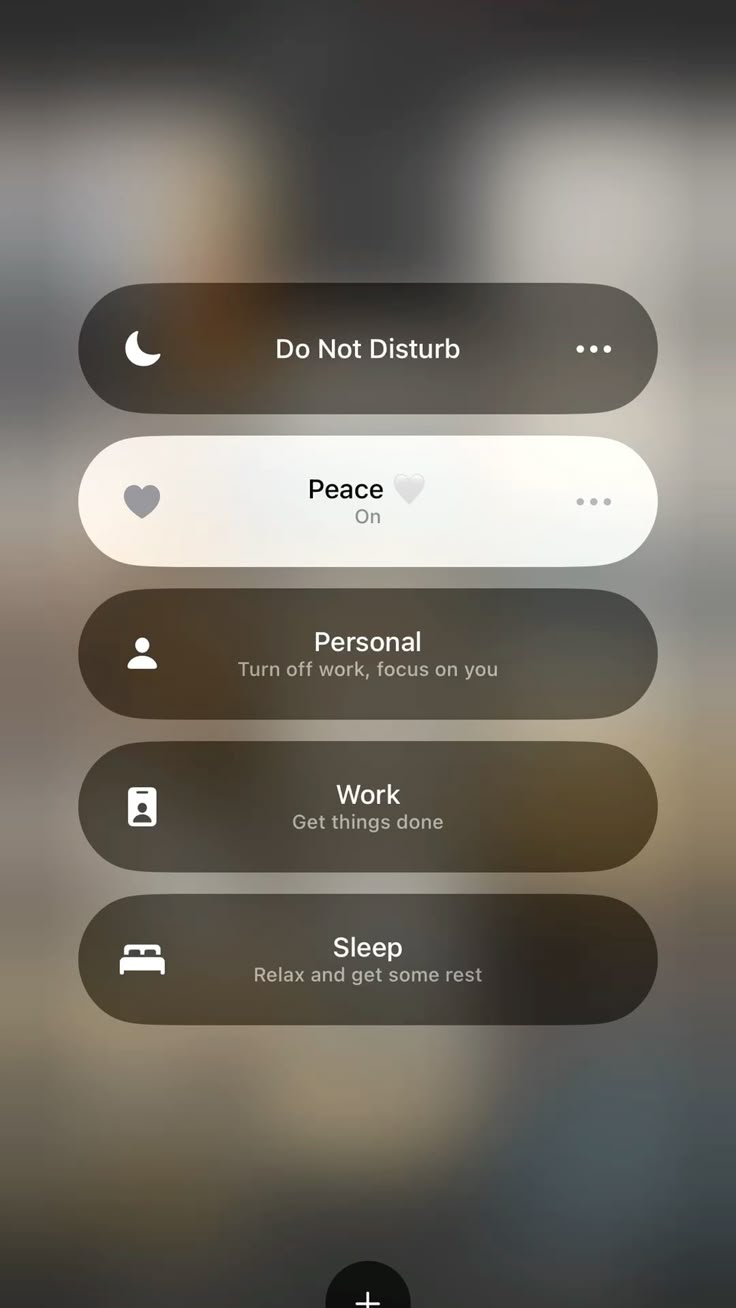
Focus modes as digital boundaries
Most phones stay in “everything on, all the time” mode. Clean Feed™ reframes Focus and Do Not Disturb as part of your digital nutrition — like choosing when the kitchen is open or closed.
Peace
Your quiet default.
- Social and news notifications paused.
- Only close friends and family can break through.
- Ideal for evenings and weekends.
Personal
Turn off work, focus on you.
- Work apps silenced.
- Self-care reminders and music allowed.
- Use during meals, hobbies, and walks.
Work / Study
Get things done.
- Social, shopping, and entertainment apps hidden.
- Only email, calendar, and key tools visible.
Sleep
Your nervous system’s “Do Not Disturb”.
- All notifications silenced except emergencies.
- Lock screen simplified to something calm.
Think of these modes as kitchen hours for your attention: open when you’re ready to consume, closed when you’re ready to rest.
Tools don’t replace willpower — they simply reduce how much of it you need. If your environment is a little softer, saying “I’ll stop scrolling now” becomes much easier.