Design Blog by Dennis

Midi Scrapyard Challenge – Sunday Pictures

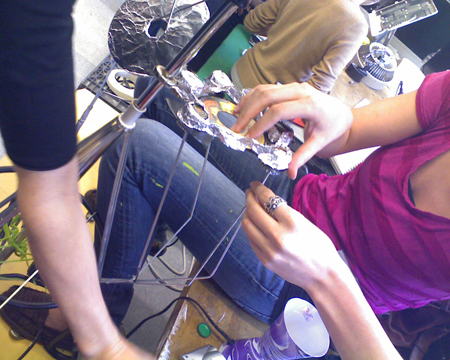
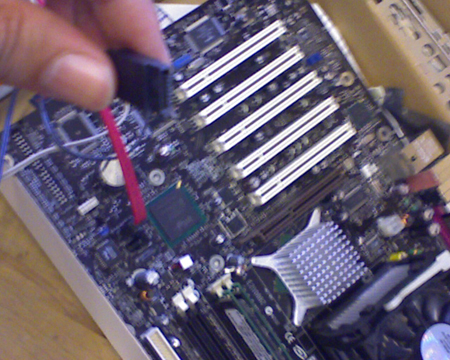
My group consisted of Michelle, Hildawg & me. Here’s our awesome drum-set we made. We started out experimenting with some ideas, but after testing the stuff we had I learned that some of the old junk worked better for this project then the others. I tried to build a computer from scratch for input to a digital monitor interface but the power supply didn’t work. So we had to abandon that idea. We tried to use an old Mac processor fan to make a wind chime but it turned out to be quite dangerous as a musical instrument that created flying metallic projectiles with strings attached. So we just decided to make it an old fashioned analog wind chime.

Awesome drum set


http://b.parsons.edu/~malcd702/blog/images/Robot.jpg
Posted in Assignments | 1 Comment

Scrapyard Challenge Junk Run – Reading Reflections

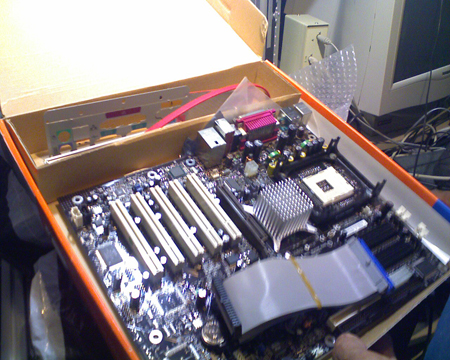
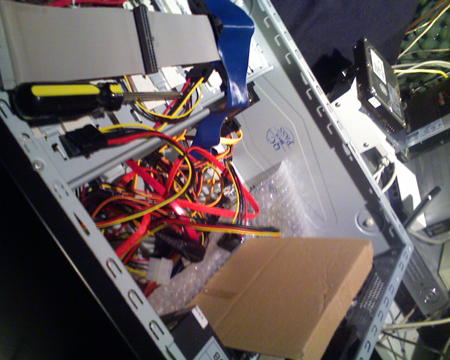
Hey everyone, so today I’m going to be talking a little bit about my junk run this week to gather materials for our 1 day workshop. My challenge was to find some useful old junk that nobody wanted for use of my project creation. I was rummaging through some of the old junk in my folks place & ran across a bunch of old computer parts no longer in use. I was pretty happy not to go through the lengths of digging through my neighbor’s stinky garbage outside or even worst to go to a junkyard & pay for old pieces of scrap. I was fortunate enough to find an old processor, a motherboard, a power supply with wires, some old speakers, some memory sticks & a heat sink fan. I don’t know if I can get any of this stuff to function but it would be kind of cool if I could especially with no background in building electronic gadgets. So let’s just see what happens…

Reading Reflections – MIDI Scrapyard Challenge

This week I’m going to be talking a little bit about the” MIDI Scrapyard Challenge Workshops” excerpt by Katherine Moriwaki. What it is, is a 1 day seminar where as the contributor fabricates musical interactive control modules from junk electronics found. It basically summarizes what the workshop experience is about in relation to the principles, the experience of the participants as well as example projects. At the end of the workshop, all projects are rounded up & each participant is given the chance to explain to everyone what the controller does, how it was created & to give a demo of it. Everyone was working with these constraints which are: Limited time, random materials & all projects must have a simple input/output. The MSC was inspired by the do-it-yourself community as well as the hacker community. 80 shows such as McGyver & the A-Team feature resourceful main characters who embody these principles.

Reading Reflections – Circuit Bending Build Your Own Alien Instruments

Hey, so today I’m going to be talking a little bit about Circuit Bending Build Your Own Alien Instruments by Qubais Reed Ghazala. Basically it starts off talking about bending the headspace of electronic design. What this means is experimental electronic instrument design. Ghazala states that circuit bending is not as daunting a task as it used to be, that circuit bending no longer requires the users to have in-depth knowledge to begin to circuit bend. He makes the comparison between earlier painters & that they had to understand the science of creating the pigments for their paint as well as creating the gesso & prepare the canvas before the first stoke of paint even touched the canvas. In contrast to today where premade paint & pre-stretched canvases are readily available to anyone. Basically he is saying that circuit bending today is much the same with many of the key elements readily available to anyone. Simple things such as coconuts can be used as a basis for an electronic drum with some light modifications involving steel strings & magnets. Early musical hits such as the the Beach Boy’s hit “Good Vibrations” set the stage early on for the popularization of electronic music instruments. The use of a Electro-Theremin” which is a mechanically controlled oscillator was used in this hit song. Ghazala also spoke of the EMI – Experimental Musical Instruments Magazine in which the phrase circuit bending was originally coined. He says the field is wide open to artists for new exploration of different mediums.

Posted in Assignments | Tagged as: , | 1 Comment

Maker Faire 2010

RuBot II Robot
Hey everyone, so this week I’m going to be talking a bit about the Maker Faire 2010 & what I saw there. Here we have a robot called the RuBot II which is a hi-tech Rubik’s cube solving robot. It appears in the 2010 Guinness Book of World Records as the world’s fastest Rubik’s cube solving robot. I found this to be the most interesting thing at the Maker Faire because quite honest with you, I’d never seen anything like this in my life & thought it was a pretty awesome invention. I can image this would be great to rent out to parents for kids birthday parties as well. It encouraged interaction between the audience by having us take the Rubik’s cube & mis-match the colors. When finished, it was given to the Robot to organize the cube in color order again. It consisted of many electronic movable parts, too many to list. It basically looked like the Terminator. I really don’t know what software which was used, but obviously the program was made from scratch & had optical recognition to identify the Rubik’s cubes colors.


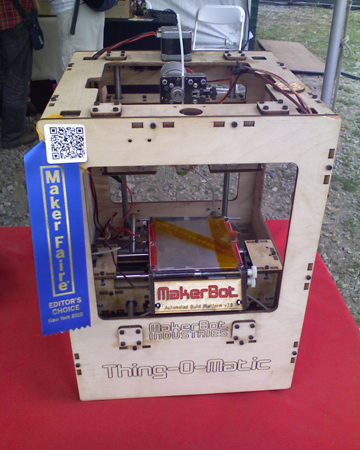
Above, here is a picture of The “MakerBot Thing-O-Matic Kit” Basically, it’s a homemade open source, 3D printer kit in which you can use to print anything from a 100 butterflies to an entire chess set. I thought it was very interesting & quite a useful invention. They encouraged the users interaction by allowing them to create a 3D design, print it & to play with their creation afterward. I thought it to be quite a nice prototyping machine & that it is accessible to anyone for a low cost. It is basically consisted of both hardware (many wires, outer casing & electronic parts) & software. (which was open source) It created objects that were made from some kind of MK5 plastruder.

Who needs books?
BYOB
In this particular Exhibit named “BYOB” Bring Your Own Books, the creator Celina Alvarado, has created an interactive exhibit that captures the motion of the books being thrown at the white board in which letters are projected being scattered after the book hits the screen. It gives the impression of letters coming out of the book. I like this exhibit because it allows the users to relieve stress by taking their frustrations out onto the books being thrown. I lot of people liked participating in this exhibit including me for this reason. 🙂 This is why I felt it was successful. It got the audiences emotions involved in the exhibit so they are not just passively watching but are involved making for a more meaningful impacting impression on people. It uses motion capturing cameras & a projector for the hardware used.

Beat create headphones

Interactive electronic board

Posted in Assignments | 2 Comments

Processing Programming – Creating a paddle ball game

Hi everyone, so today I’m going to be talking a little bit about my programming code for Processing. My challenge this week is to create some code for a paddle using the class feature of Processing. I basically had to create a paddle, make it move on the y axis & create some constraints for my Paddle so it doesn’t go off the page. The code I used can be found below.

http://b.parsons.edu/~malcd702/Dennis/Processing/Paddle.pde

Supporting code is found here:

http://b.parsons.edu/~malcd702/Dennis/Processing/Paddle2_ball_Game.pde

http://b.parsons.edu/~malcd702/Dennis/Processing/Ball.pde

Pseudo code

Things needed

Paddle

Ball & size of ball

Court

Brick Wall

Speed of ball

Levels with speed of ball increases.

Clock timer 1 minute

Collision detection for Paddle

(Create constraint to prevent paddle from moving off screen)

Paddle move Up

Paddle move Down

Ball bounce against edge of court

Ball bounce against wall


Posted in Uncategorized | 2 Comments

Paper Prototyping – Interface Class

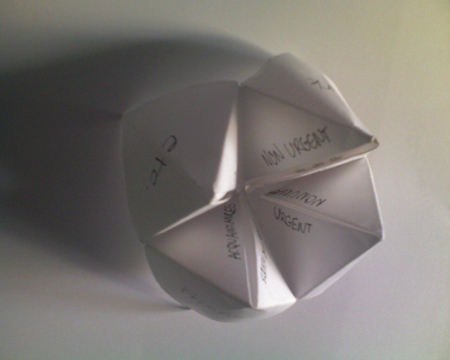
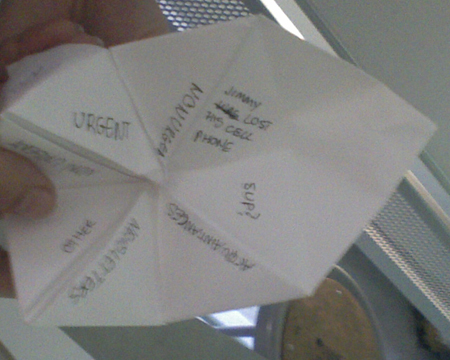
Hi Everyone, today I’m going to be a little bit about our Paper Prototype project from my interface class. Basically we created a paper mockup of a analog message box, similar to email. On the outer edges or the outer focus of the paper prototype, we sorted messages by Family, Friends, Work & Etc. When the paper shell was opened up, it focused on dividing the messages by urgent & non-urget messages. From there we even added a third level, which were the actual messages themselves like, office party coming soon under the work listing “non urgent.” Under “Urgent” for work we listed, “you are fired” a bit harsh but it gets our idea across about designing a simple analog messaging box.

Posted in Assignments | Tagged as: | Leave a comment

Reading Reflections – Week 4

In the reading of the excerpt “Hertzian Tales” by Anthony Dunne, it starts off talking about the electronic as a lost object. What I got from reading this section was that if designers of electronic objects get seduced by the provoking synthesis of examination & images which offer a loaded stimulation while remaining grounded in actuality, their designs may become just depictions of imagery of electronic substance. The reading of Hertzian Tales, next goes on to explore the electronic as an object. From what I gathered, it talks about how design is viewed as an approach for connecting the immaterial & the material together, broken down into packages, fusions, dematerialization & juxtaposition. The next subject that is touched upon is the electronic as post-optimal objects. Basically what I understood from this section of the excerpt is the post-optimal object could provide a new understanding of everyday life, bringing new rhythmical dimensions & ideas. The basic idea, is that design should discover a new function for the electronic object, one that facilitates a more incorporated artistic occurrence with everyday life through creating conceptual products of the future. Dunne than continues talking about para-functionality in the world of design pertaining to art & architecture. It is referring to a “form of design where function is used to encourage reflection on how electronic products condition our behavior” Hertzian Tales” by Anthony Dunne- page 43 The excerpt also touches on the subject of  forbidden emotions in relation to para-functionality in which it gives an example of how an exhibit in London’s Architectural Association “Irie” shows a contrast in modern electronic devices where information, entertainment & fantasy are explored & evoke sensory impressions, fragments of ideals & illusions by use of strange inventions by architects. The author also talks about Heterotopian gadgets & para-functionality which basically desiccate speech & contest the very possibility of grammar at its source, they dissipate our myths & sterilise the lyricism of our sentences. The reading excerpt next goes into the topic of “Social Fictions” & para-functionality. For example, “Pathological gadgets are examples of life outside the normal perception of the reality of our world, these are examples of design fictions. They are deviations & failures that help to maintain the “impossibility of the possible. The author next talks about the realm of “Rationality & Reality” in the world of design. Which basically says that because many exhibition pieces/objects do not work technically due to their un-usability, it create a heightened sense of distance because they are conceptually hard to create. When people can become involved with the props on display, they can participate in the story, exploring what is & what can be. This is the role of para-functional as criticism.  Dunne then goes into talking a bit about Psychosocial Narratives, which refers to the individual narrative prospective of electronic devices, the environment of aspiration & narrative that embraces customer commodities, the socialization that the employment of electronic goods, the social & behavioral boundaries forced on us through the theoretical models they entail. What I found particularly interesting about this reading was the truth phone & the use of galleries as testing sites for prototype designs where the people can interact with the pieces on display.

On the reading of Why We Need Things by Mihaly Csikszentmihalyi, It starts off by talking a bit about how we evolved to need things as a part of our survival & daily comfort. Unfortunately objects compete with humans for precious resources needed for survival. Csikszentmihalyi goes on to say that objects do not necessarily make life better but serve to soothe & classify the mind. Csikszentmihalyi believes that when the mind is left to itself, destitute of structured sensory contribution, the brain begins to roam & is soon quarry to rampant hallucinations. Things help objectify the self in at least 3 ways, 1.  they demonstrate the owner’s power & place in social hierarchy. 2. They can by used as mementos & souvenirs of the past & represent future goals. 3.  Can be viewed as symbols of social networks & valued relationships. They can help give us a sense of who we are.

In the reading of Interaction Relabelling and Extreme Characters: Methods for Exploring Aesthetic Interactions°® by Gaver, Djajadiningrat & Frens, it basically starts off talking about how aesthetics & interface are interweaved ideas, rather than disconnected parts & how a product must be shaped by according to its functions & it’s interactions must be judged by both it’s sensory & conceptual. The authors go on to talk about interaction relabeling in which in a study, participants are asked to consider existing products & pretend that product is to be designed & tell how it works. I found the writers use of stereotypical characters such as the hedonistic polyandrous woman, drug dealer, & business man mildly offensive & would never design a product with such stereotypical characters in mind.

Posted in Assignments | 1 Comment

Reading Assignments & 5 in 5 Project Reflections

Cardboard Computers
Well basically in this reading it talks about the Utopia project which was about how new media tools should be designed in relation to the quality of work they produce. Today, concepts from the Utopia projects originating from Scandinavia are used throughout the world in the field of design. It starts talking about the relationship of typographers & Journalist in the news room, how before layout software technology came into the picture each professional had their own space & task. With the incorporation of new computer layout software in the 70s, the spaces & professions were merged & had to worker closer together causing some friction between the 2. It then goes on to talk about the importance of mock ups & how they encourage hands on experience, that they are “understandable & that they are cheap to create.

Experience Prototyping” Marion Buchenau and Jane Fulton Suri
In the paper “Experiencing Prototyping” it talks about how “Prototypes” are basically representative of the concept before the final product comes into existence. Many group of designers, like for example the ones at Apple & Xerox typically try to push the limits of traditional methods of prototype development. What experience prototyping is, is “what the user looks at, feels & hears while using it.” Also to be considered are the influences of contextual factors, like social circumstances, time limits & the environment.

“What Do Prototypes Prototype?” Stephen Houde and Charles Hill
In the reading of “What Do Prototypes Prototype” the authors talk about prototypes are widely recognized to be a central way of exploring & expressing designs for interactive computer artifacts. The authors talk a little bit about the problems with prototyping about how it can be difficult for designers to communicate vivid prototypes to broad audiences in which the feedback from users is evoked by the prototypes.

5 in 5 Project reflection

Hey, so today I’m going to be writing a synapsis of my 5 in 5 project assignment. Well basically, I came into this project confident that things would go very smoothly & very easy. I thought that it would be a rather easy project because I had 5 projects in my head & a goal that I wanted to reach. Okay simple enough. I originally started out in my head with the idea of illustrating 2 new characters (Analog) or by pencil in this case & coloring them as separate digitally projects for an analog book that I wanted to create merging them into one digital/Analog project for the last project. I didn’t really anticipate the technical computer problems that I ran into, e.g. gathering reference/research material to use via my computer software & having a massive trouble shooting session with my hardware/software, which consumed most of my first day to fix. So, since that happened I had to take my project into a different direction in order to complete the 1st project in time. So instead, I used this 5 in 5 project as a kind of jumping off point to come up with a process or structure that I wanted to follow for future projects. Not to say that the process I came up with would not change due to outside influences, but I still wanted an idea of the way that I intended to work for other projects. With that said, I have posted a picture of what my mockup/prototype book looks like & where my 5 in 5 projects went into the book to give you an idea of what my thinking was.

5 in 5 project#1, So for my first assignment, I decided to do an illustration of the main character from a story that I’m writing by means of pencil & paper. I attempted to show the beginning process in which I used to create a new composition. Originally I started this project with the intention of doing a completely new character instead of an existing character. That didn’t pan out the exact way which I originally planned so I changed my project to accommodate with the time I had left. So basically I tried show the process of the creation of my artwork in steps. Even though this 1st project was very basic in nature it was still an important part of my process that I felt should be documented. I basically tried to explain what composition was to the readers so that they would have a better understanding of what I was referring to. I went into in some small detail my preferred method of working with composition called “The rule of 3rds” in which the artist divides the area into thirds in both directions & adds four circular points where the lines cross as the basic focal point of my drawing. Afterwards I went into explaining what a gesture drawing was, which in this case was the main focus for this project as far as completion as I set new parameters for the project. Most gesture drawings takes not more than 2 minutes. So that was my constraint for the first project.

5 in 5 project#2 , So for this project, which was analog, I got a bit closer to what I originally planned to do by completing a full pencil outline of a figure commonly referred to as “line art”. From there I gave a brief explanation of what line art was & gave myself a 40 minute time constraint to complete this project.
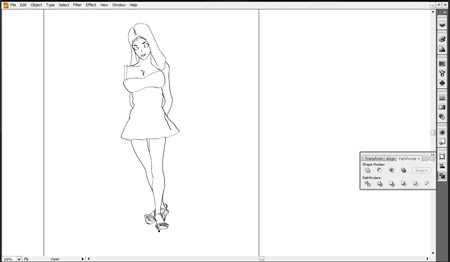
5 in 5 project#3, Originally I started out with the idea of doing a full digital coloring project by converting my hand drawn pencil figure but then realized I had not really prepared it for digital coloring & had to add an extra step of inking it digitally. That came in pretty handy as I normally ink my work by hand but decided to do it in Adobe Illustrator. It was helpful because had I inked my work by hand, it would have taken much longer to do & I would not have a very good file as a point of reference to the coloring software of my choice. Believe it or not, I actually don’t really do a lot of my inking by computer. But because of the nature of this project, the time constraint involved, I had to think of the quickest most efficient way to get my illustration inked & ready to add color to it. My constraint was a 1 hour limit giving the amount of detail involved in the character.

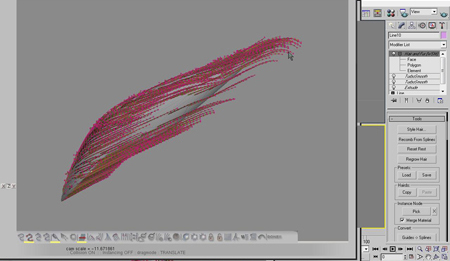
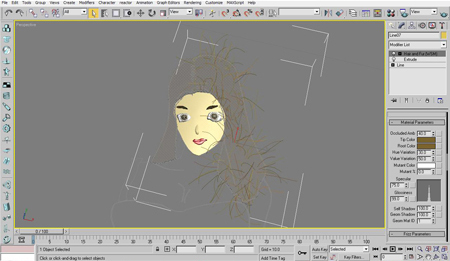
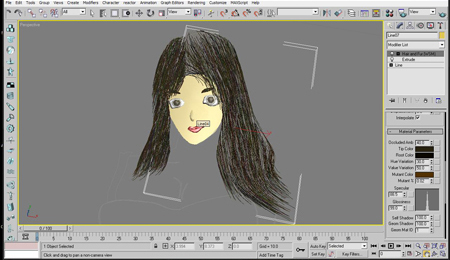
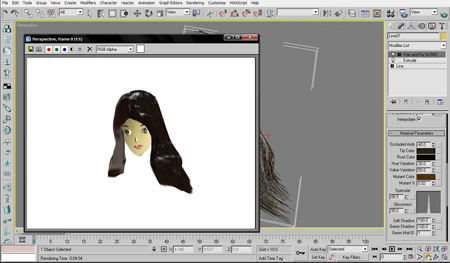
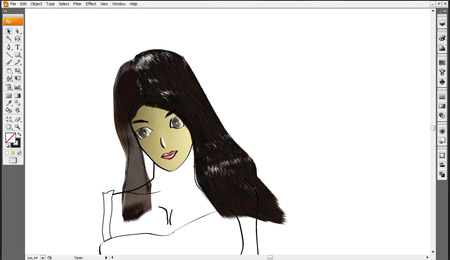
5 in 5 project#4, I once again ran into some issues with time on this 5 in 5 project. I have not colored my artwork in such a way before so it was kind of experimental for me & I learned a lot from coloring my work this way. Like for example, realizing I had not enough RAM/Memory to do the entire iteration of the figure for the final render, so I had to work up to the point where my computer crashed. After seeing my computer crash several times I had to end the project because I hit the 8 hour time constraint that I gave myself.

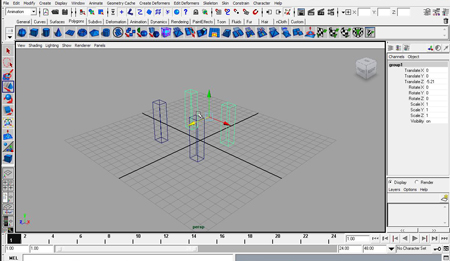
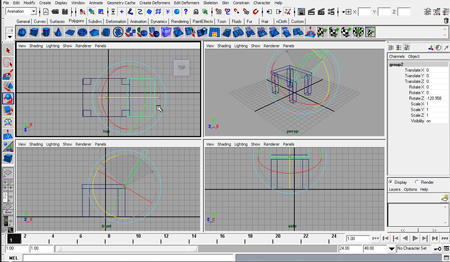
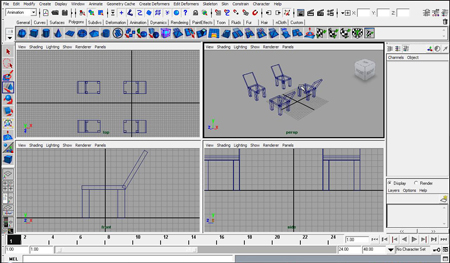
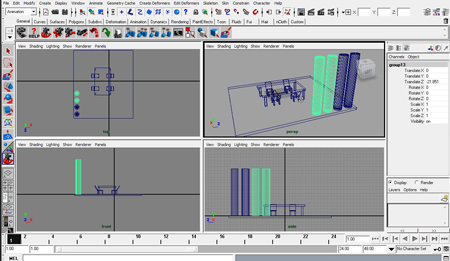
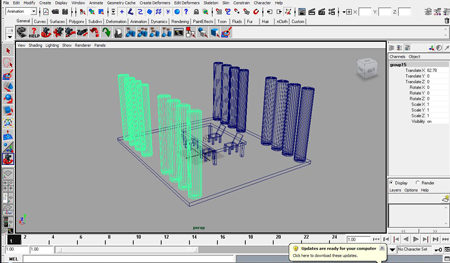
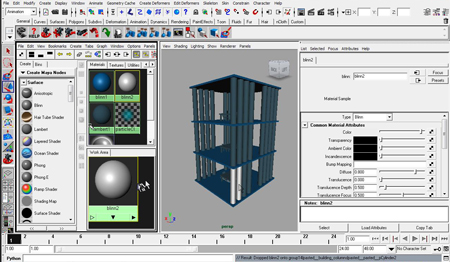
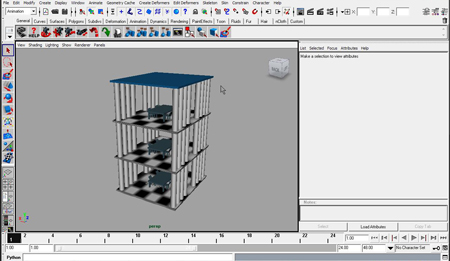
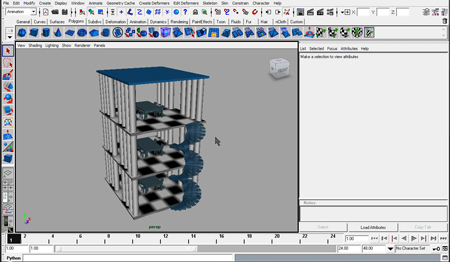
5 in 5 project#5 After running into many rendering problems with the memory on my computer in my last project, I decided to do a fresh new project from scratch, to test if I would be better suited working from a different software that would not crash my computer during my final renders. My project was to model a 3 story dining room & I gave myself a time constraint of 1 hour to finish. I found the software was more efficient in RAM usage & will most likely use it in my future projects lke my thesis for example. If I had to do this project again, I would use this new software from the beginning as to prevent me from repeating the same problems I had going through the process in the first place. I learned that thinking how something is executed & actually executing your ideas, can be 2 different realities.

Cardboard & Paper Prototype

Posted in Assignments | Leave a comment

5 in 5 Project #5 – Modeling a 3 story dining room – Digital

Hey okay so for today I will be modeling a 3 story dining room. My constraint will be a 1 hour time limit.
So today I will be using a faster 3D modeling software to render with as I found that the other software to be slow & problematic with the render tests. Working with this new software cut my modeling time down significantly & allowed me to add more detail into my projects.
1.

2.

3.

4.

5.

6.

7.

8.

9.

10.

11.

12. Final Render

Posted in Assignments | Leave a comment

5 in 5 Project #4 – Digital coloring of figure

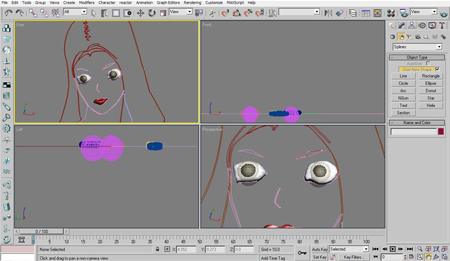
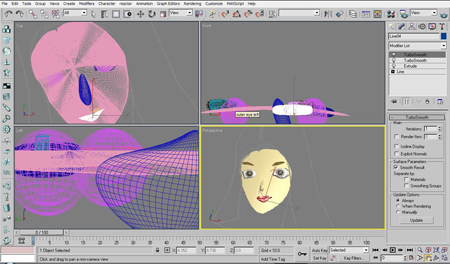
Hey everyone, so today I’m going to be talking a little bit about my 5 in 5 project number 4. Today the subject will be to digitally color the figure head of my drawing. So I’m a little nervous about starting this coloring project because it’s time consuming & I have not colored my artwork in such a way before. But I figured that I should try it out since I may be using this process heavily in the future when I start my thesis project. So I’ll use this project as a prototype test for future work.
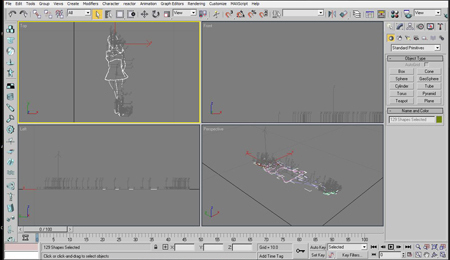
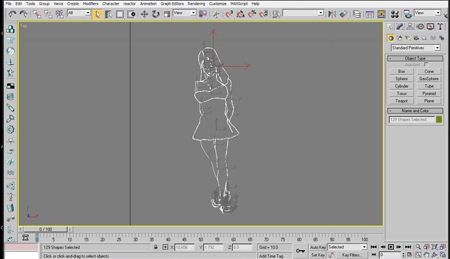
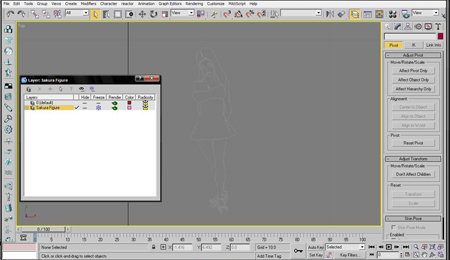
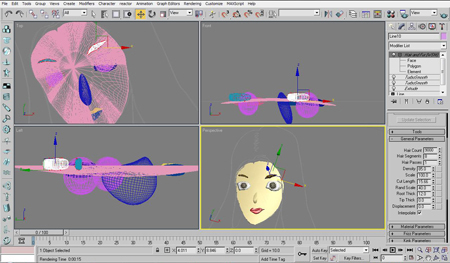
So as it turns out, as I’m working on this project, it turns out coloring a figure can take up to 10x to 15 times as long as drawing a figure. Started Rendering the hair, it crashed my computer, not enough memory. Each render can take up to a half hour each test. Think that I will have to stop at the head for now as I have run out of time & ram. The constraint for this project will be an 8 hour time limit.

1.

2.

3.

4.

5.

6.

7.

8.

9.

10. Final Render

11.

13.

Cardboard & Paper Prototype
Posted in Assignments | Leave a comment
5 in 5 Project #3 – Digital inking of figure – Analog/Digital

Time constraint – 1 hour
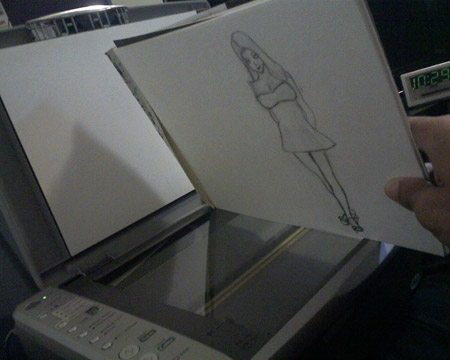
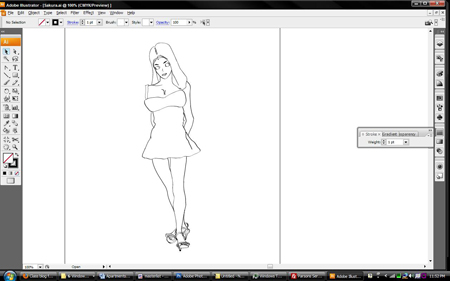
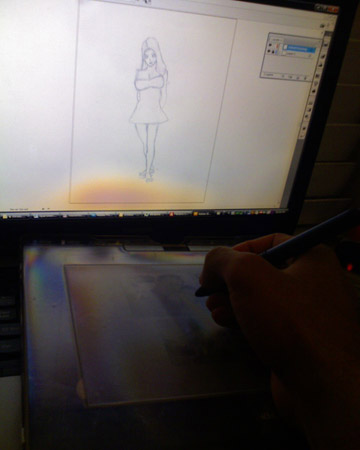
Okay everyone, so today I’m going to be talking about my #3 project which is to converting a hand drawn pencil figure & inking it digitally. Believe it or not, I actually don’t really do a lot of my inking by computer. I usually ink my drawings by hand. But because of the nature of this project, the time constraint involved, I had to think of the quickest most efficient way to get my illustration inked & ready to add color to it. That will be tomorrow’s project. Because of the nature of digitally coloring a drawing, it usually works best when you have a drawing with clean, sharp, well defined lines, which is a perfect job for Adobe Illustrator. As always, it felt a little weird working off the Wacom tablet to do my digital inking, something I have still not gotten used to till this day.


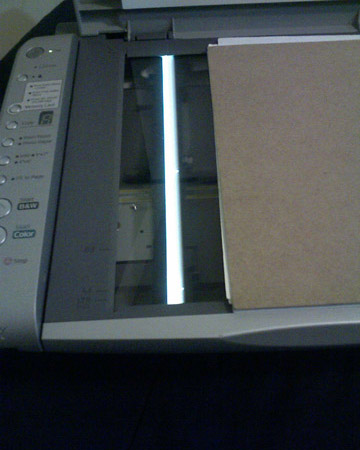
1. Place drawing onto scanner

2. Scan

3. Pull out my Wacom drawing tablet

4. Import scanned file into illustrator

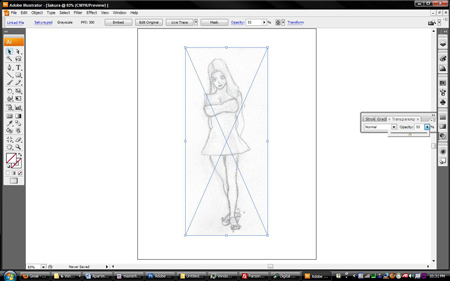
5. Change the transparency of layer to a lesser percentage.

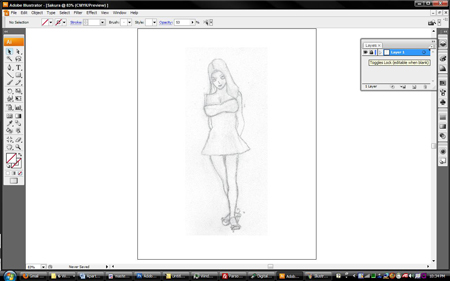
6. Lock the base layer

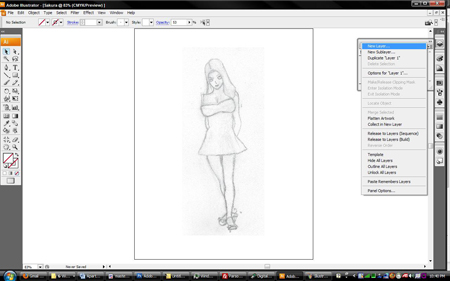
7. Create new drawing layer

8. Pull up the pen tool & start drawing

9. Finished inked drawing, remove pencil drawing underneath.

(This 5 in 5 project is intense, it reminds me of my summer bootcamp classes. It’s kinda been stressing me out whenever I run into a problem it eats into my time & I have to think of a work around in order to complete the project.)

Posted in Uncategorized | Leave a comment